
Vranx User Interface for Forever
Much of my UI is built around two major addons: Ellesmere UI and Naowh Forever. Be sure to check them out, as both offer many additional features beyond the ones I’ve highlighted here. My UI for TBC is here.
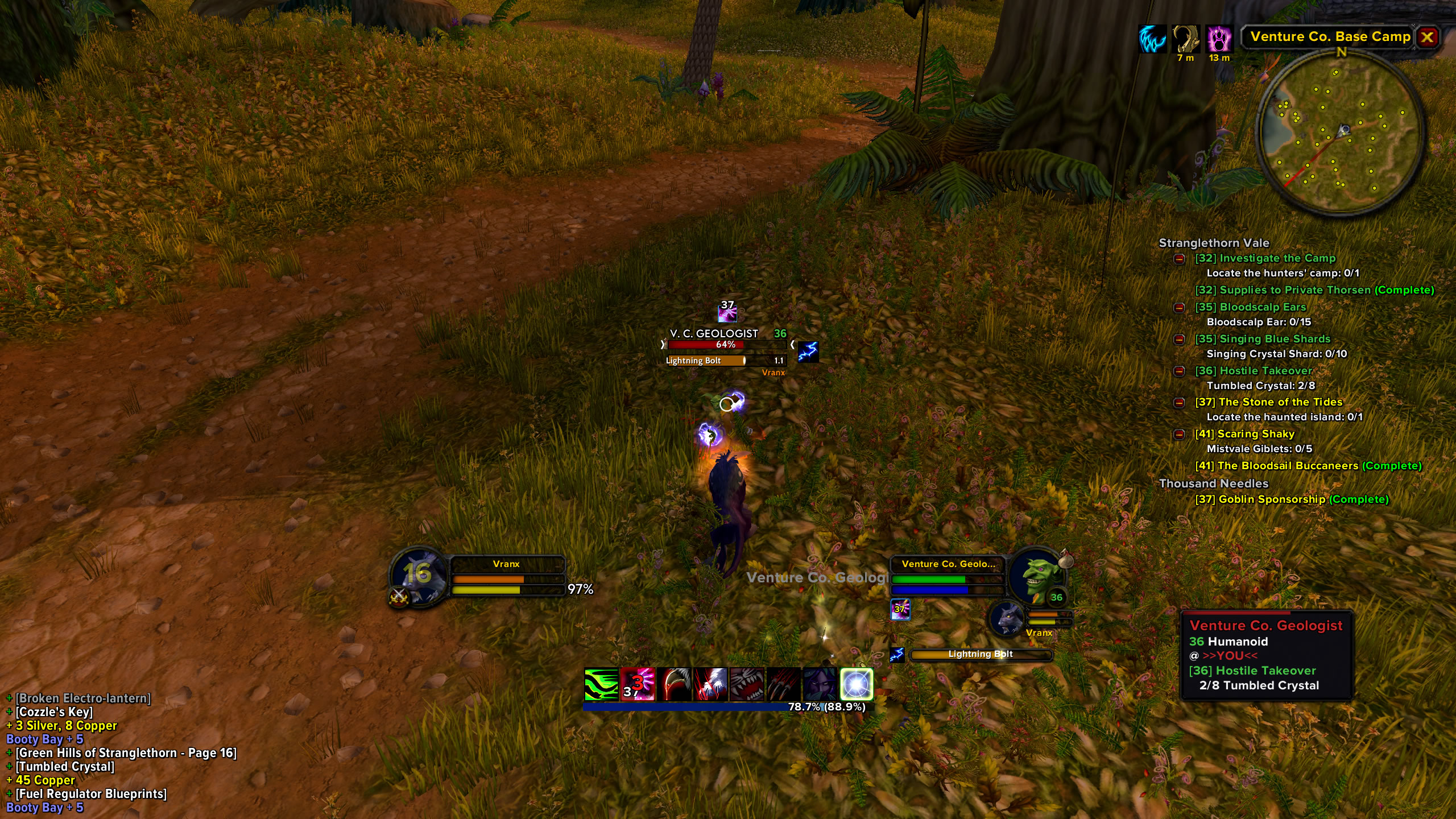
Questing
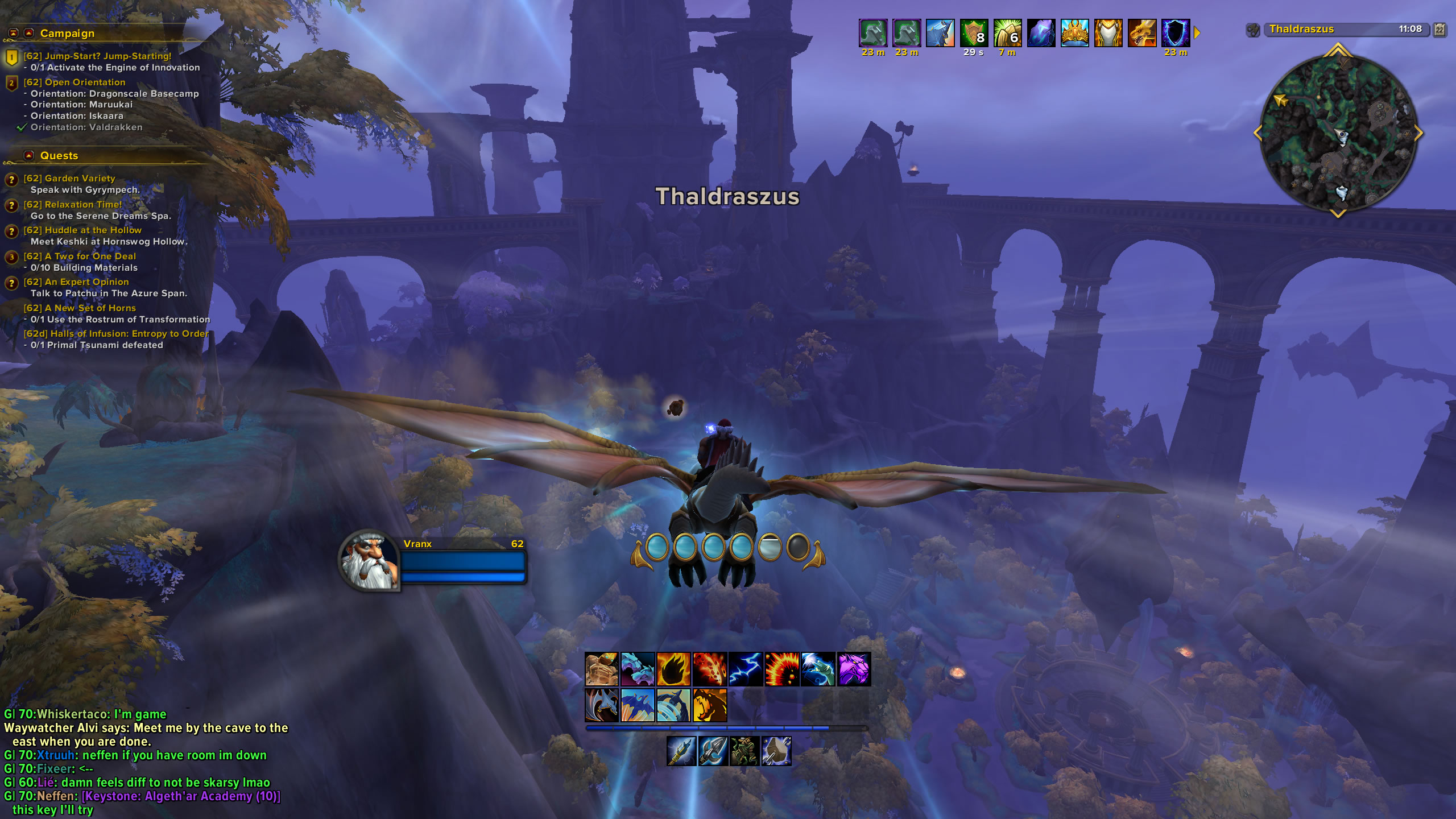
Decked Out
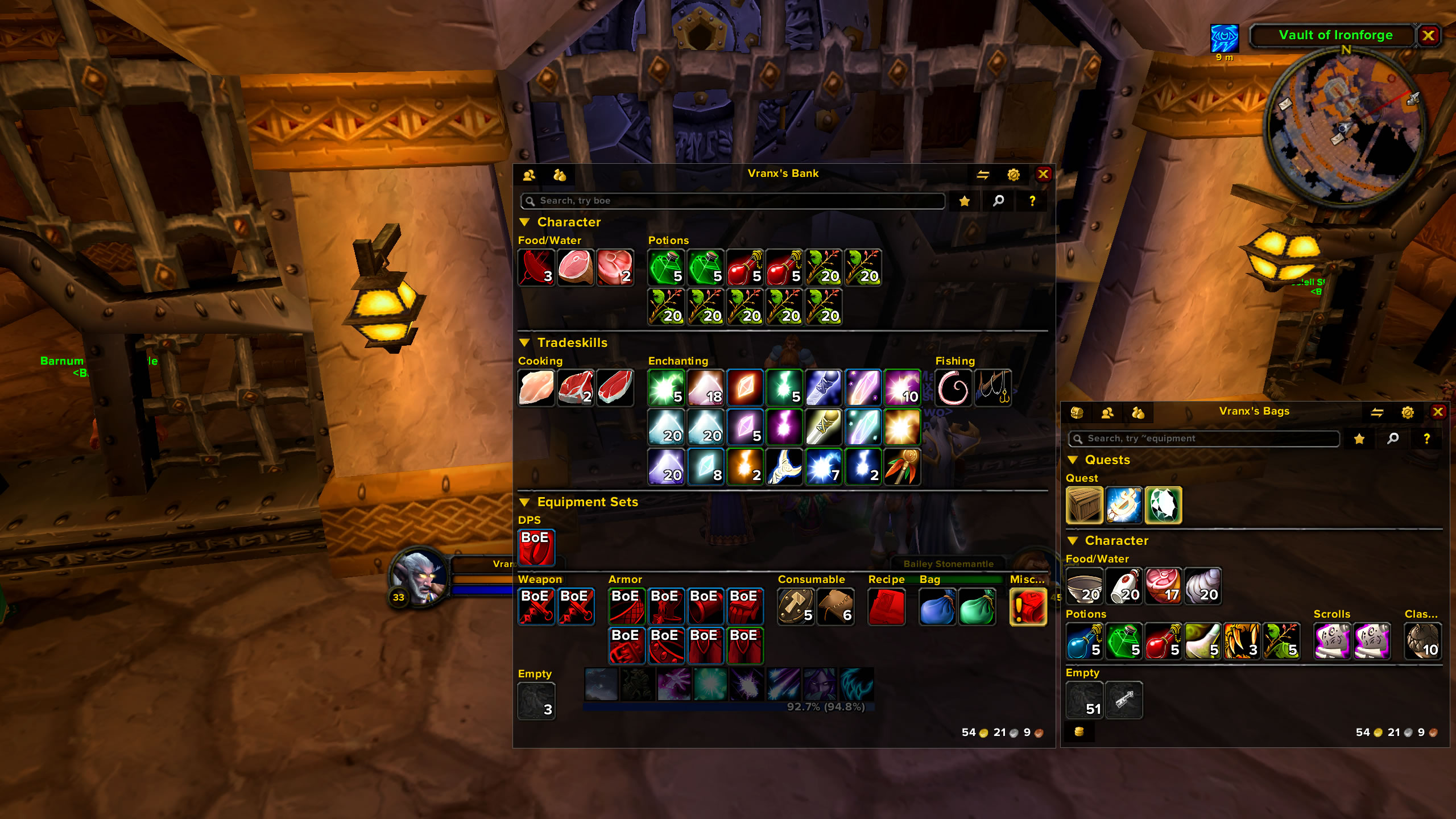
Open Frames
Action Bar
ActionBarAuras — Shows your buffs on you and your debuffs on your target inside your action buttons with a colored border and timer.
 EllesmereUI Action Bars — ActionBar replacement mod similar to Dominos.
EllesmereUI Auto Uprank Spells — Automatically updates new spell ranks on your action bars as you learn them.
Addon Control
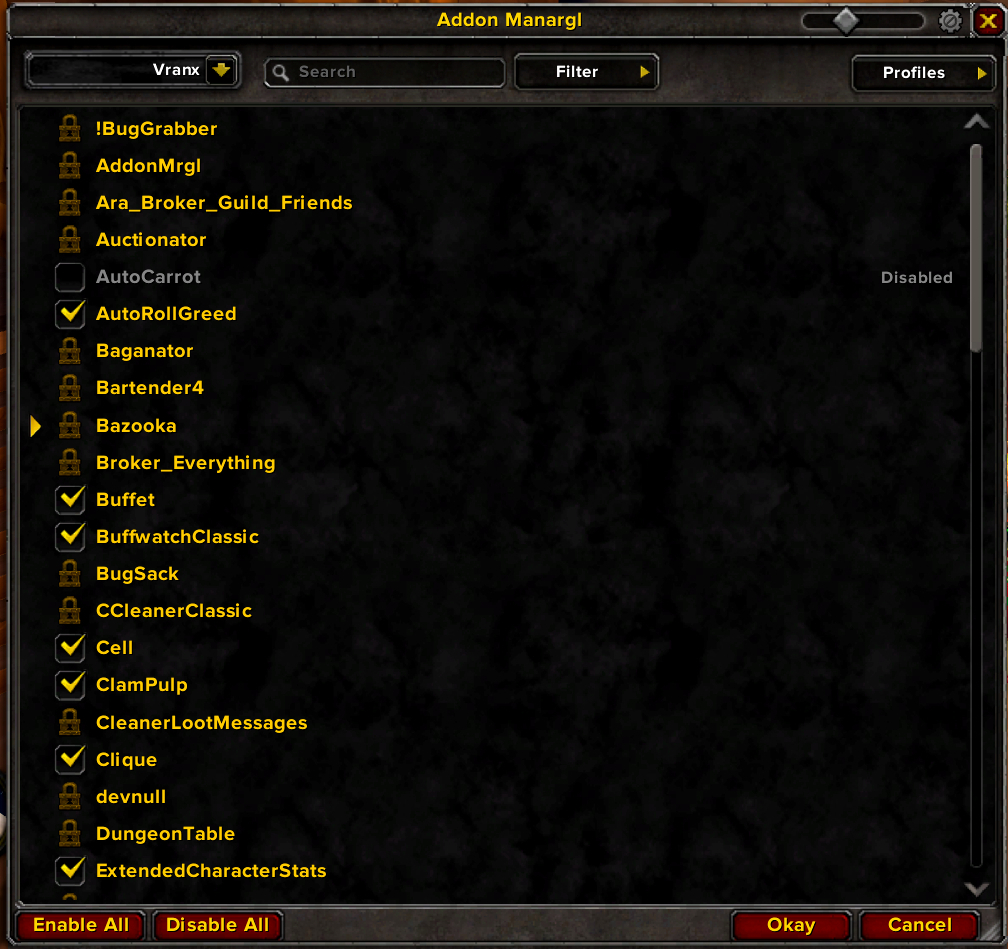 Addon Manargl — addon manager that has filters, grouping by dependencies, profiles, autoload profile, ElvUI skin, and many other flexible settings.
Auction
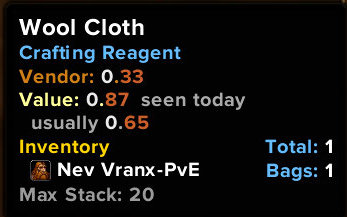 auxForever — Fast searches, safe buying, and posting at the right price in one click. Scans and shows prices over time in the tooltip.
Bags
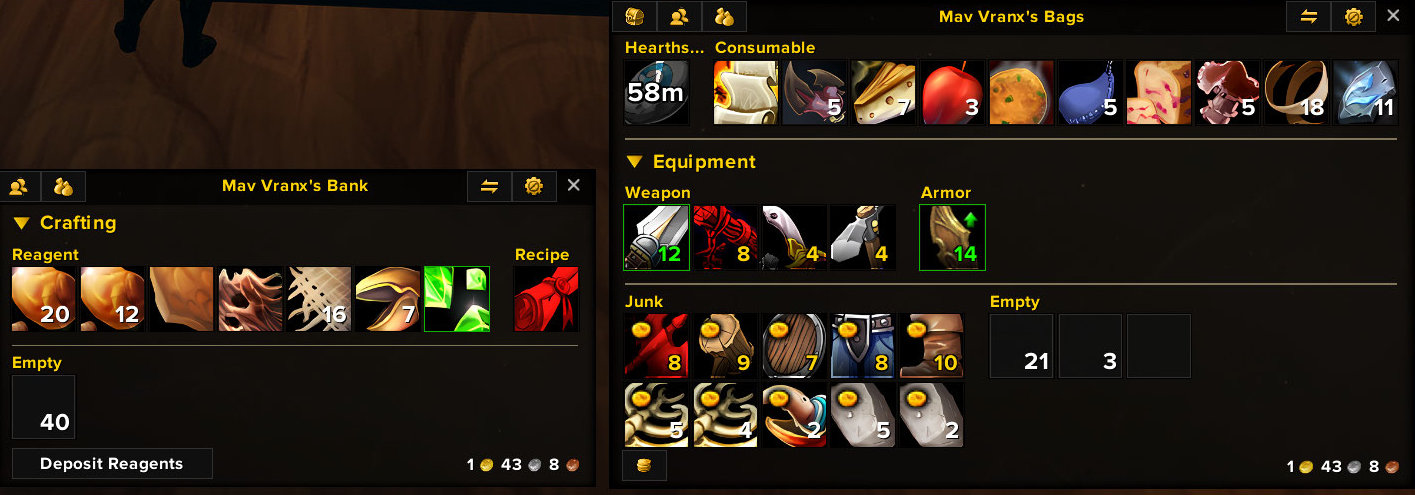 Baganator — a comprehensive single or categories view bag addon. I use this addon in categories view. You can create custom categories.
Chat
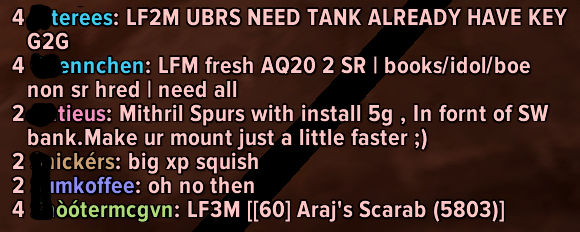
vChat - my chat addon. Features include:
- /vchat font - lets you chose a font from installed SharedMedia files
- can put font of your choice in addon folder, name it font.ttf
- applies an outline to font
- sound when someone posts in guild chat, toggle on/off with /vchat guild
- sound when receiving a whisper, toggle on/off with /vchat whisper
- player levels in guild chat
- short channel names, G for guild, 2 for Trade
- edit box on top with color for chat type
- keybinds for guild, party, say, raid/instance
- clickable url's
- suppresses guild message of the day
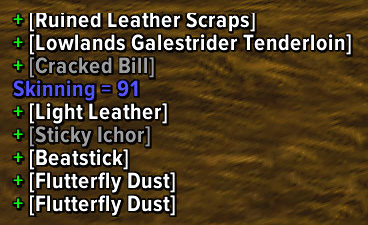 Cleaner Loot Messages — reduce loot messages to a minimum for clearer information.
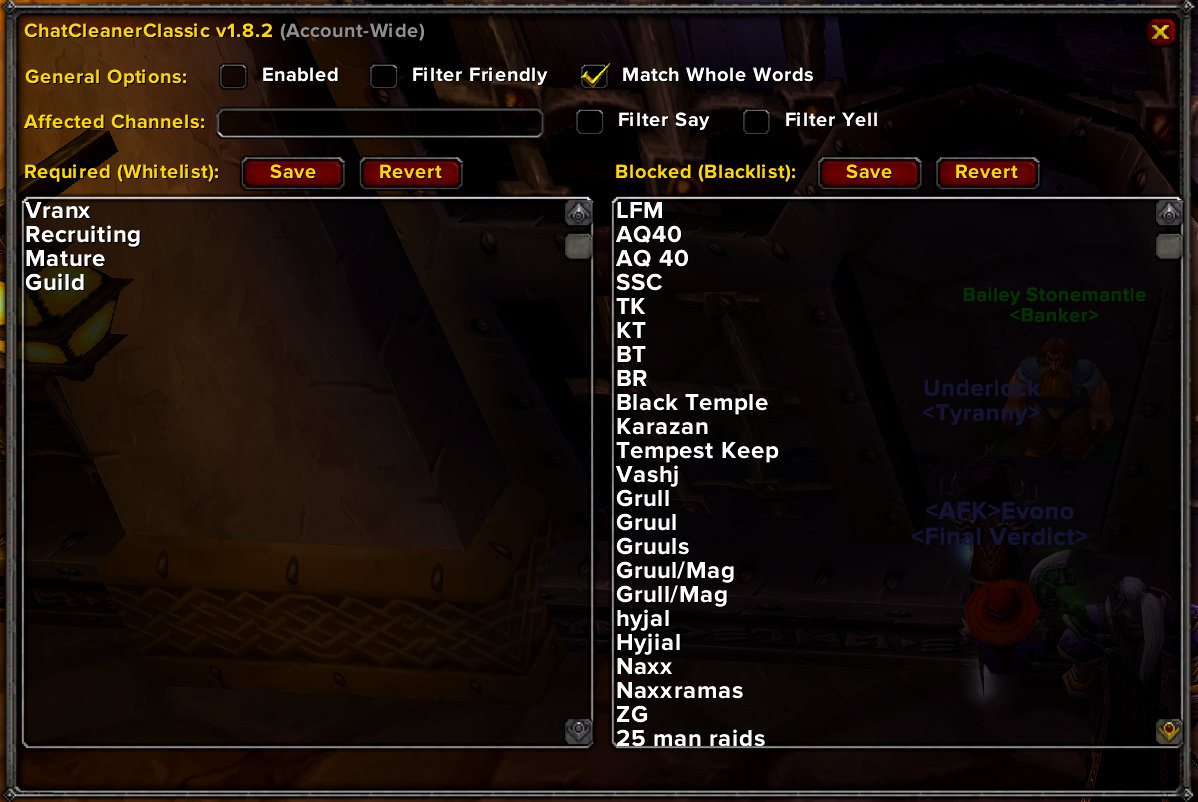 ChatCleanerClassic — Customizable chat filter using both white and black lists. I updated this addon: CCleaner
Fonts
I use Proxima Nova as my main UI font and Proxima Nova Condensed for chat. These are paid Adobe fonts but if you search online you can find some free downloads. For directions on replacing game fonts go to the Fonts page.
Frames
EllesmereUI Frame Shifter — Move and resize frames similar to BlizzMove.
NoAutoClose — stops most of the in-game frames from automatically closing when you open something else.
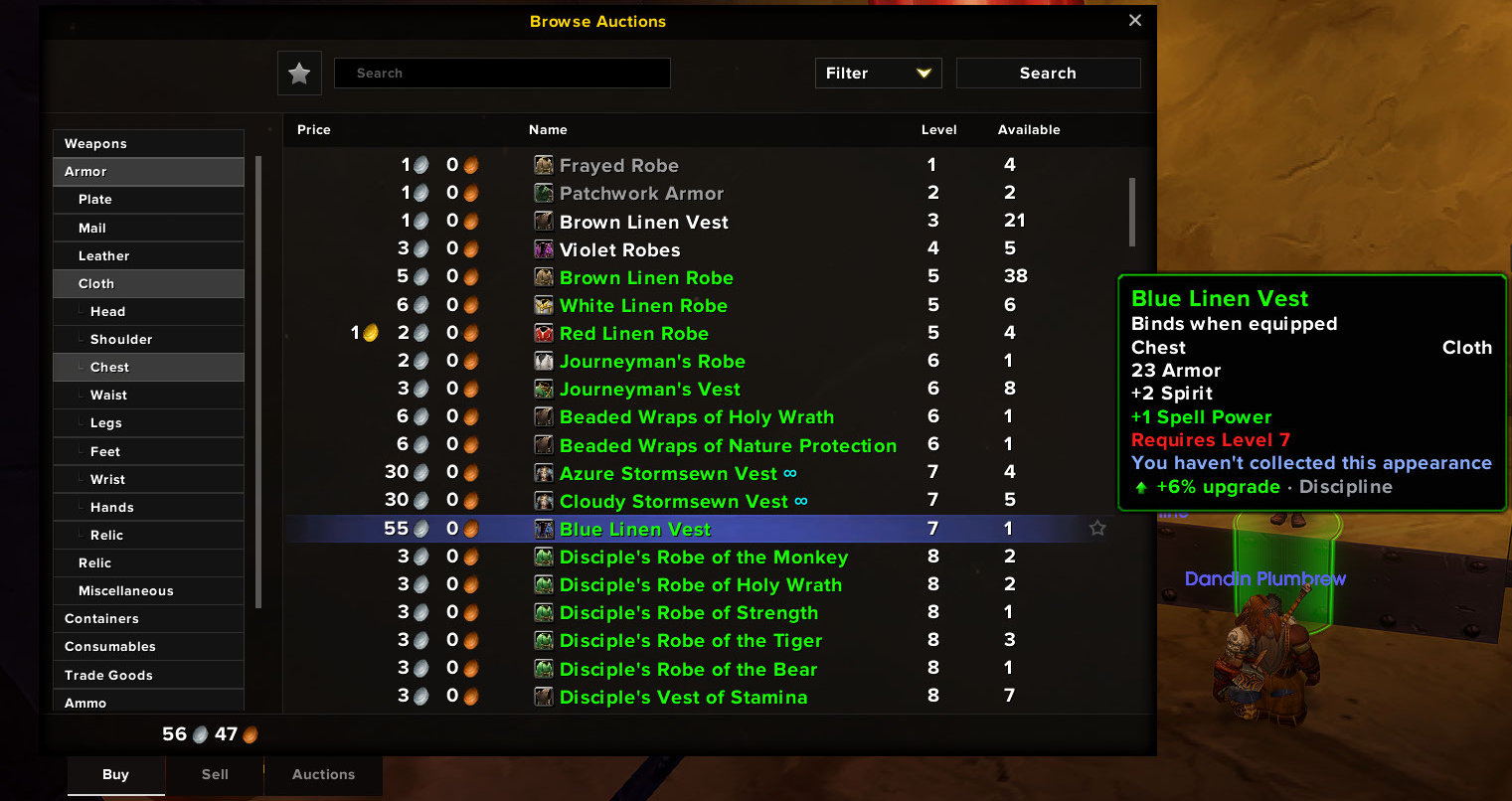 EllesmereUI Frame Reskins — Skins frames to be more modern similar to Aurora.
Gear
Naowh Forever Gear Sets Swap — Create and swap gear sets similar to ItemRack.
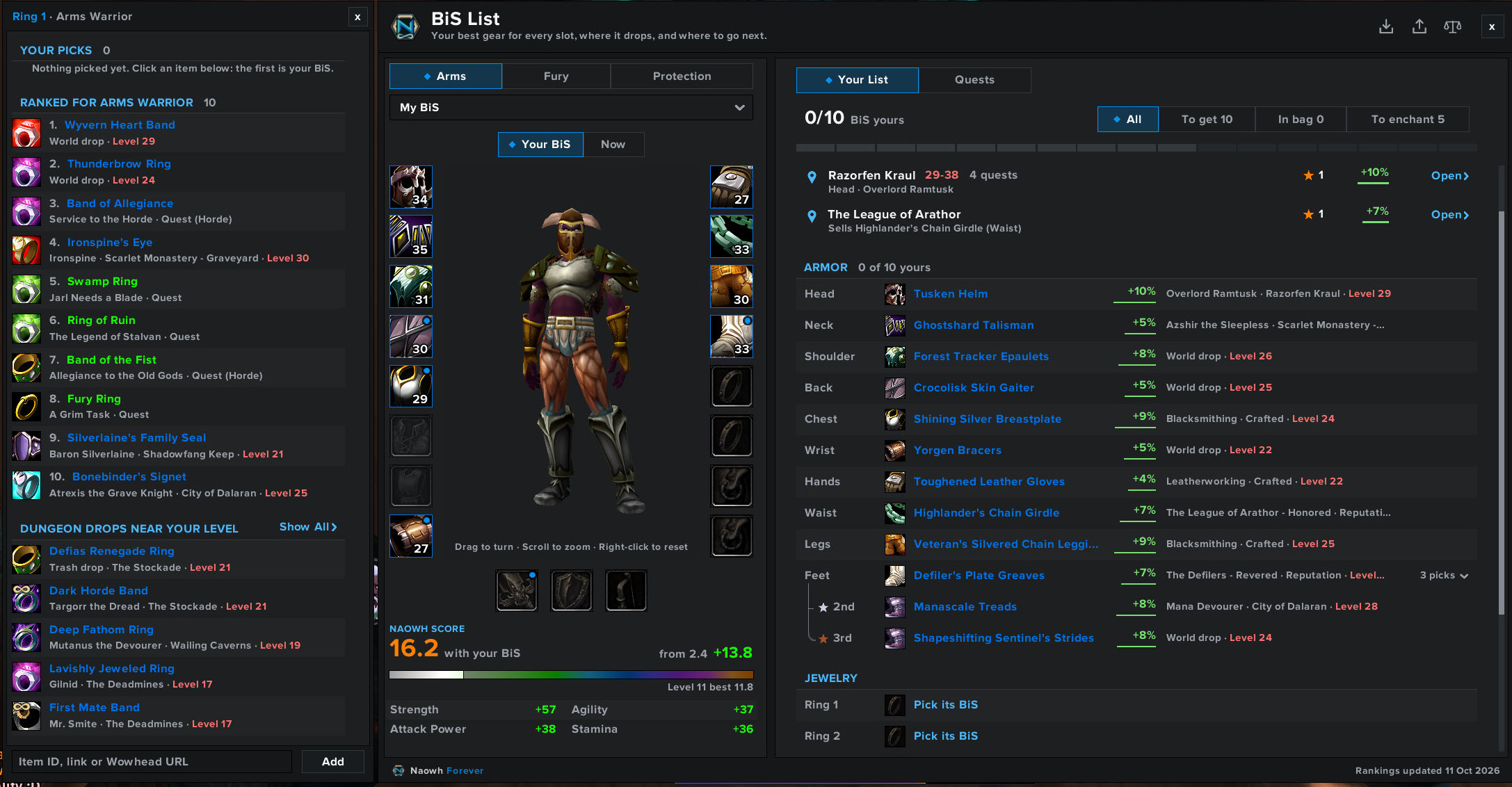 Naowh Forever BiS List — Pick the gear you want for your spec and keep it in a list. Each item shows where it comes from, whether that's a dungeon, a quest, a profession or a reputation reward. You can see what you already own and what you still need to go and get.
Graphics
SharedMedia — inserts media (textures, bars, borders, etc.) into LibSharedMedia's storage. They can then be selected by any addon that supports LibSharedMedia. I have collected many fonts and statusbar textures which I insert into my own SharedMedia for my UI.
Healing
EllesmereUI HoverCast — Click cast bindings similar to Clique.
EllesmereUI Party/Raid Frames — Customizable frames similar to Cell.
Information | Data Broker
 Bazooka — adds information bars on the top or bottom of the screen which provide data broker plugin support. I have my bar set to only appear on mouseover.
Broker Everything — a collection of modules to display various information in game about the game.
Interface Options
EllesmereUI Quality of Life — Auto Fill Delete, Auto Open Containers, Auto Repair, Auto Sell Junk, Combat Alert Text, Faster Loot, Remove Transforms, Required Gathering Skill In Tooltip, Skip Cinematics, Skip Gossip.
Naowh Forever Quality of Life — Automatically accept and turn in quests, Talent Point Reminder, Ore/Herb Tracking Reminder, Show Cheapest Items to Delete When Bags are Full.
Inventory
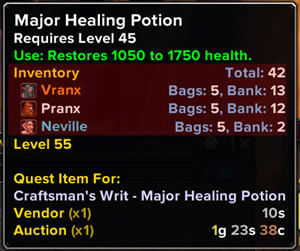 Syndicator — shows in tooltips where your items are in all your characters bags, banks, mail, auctions, and all your gold and currencies. In the screenshot I have a total of 460 Mistletoe spread across 5 characters bags and banks.
Looting
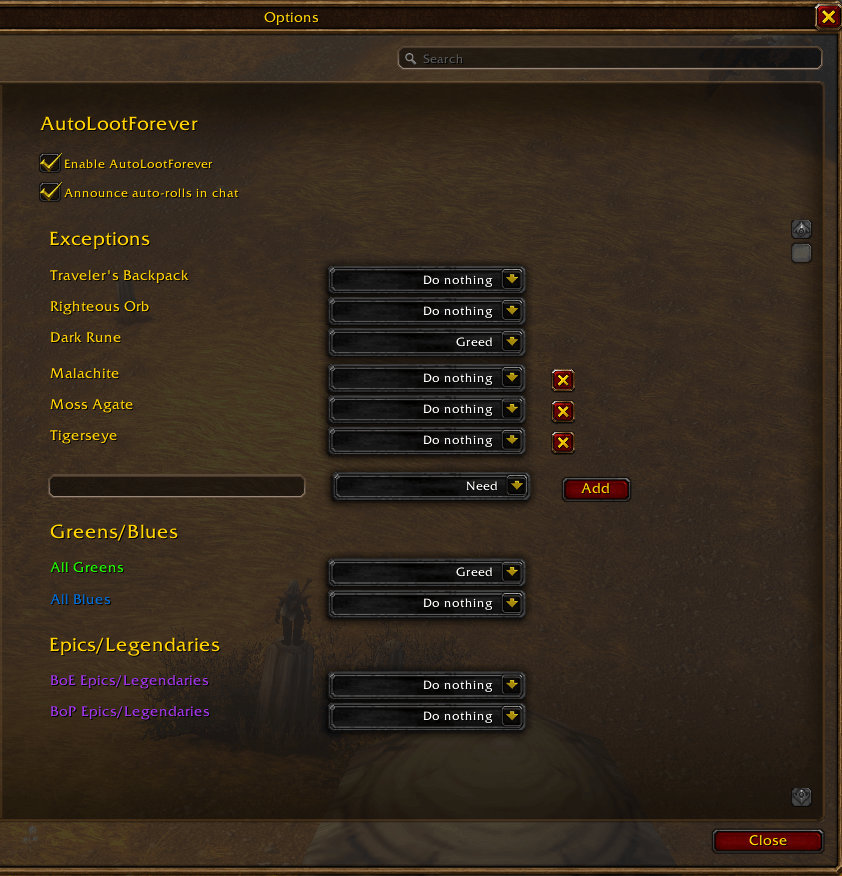 AutoLootForever — Automatically rolls Need, Greed or Pass on group loot, based on rules you set per item quality and for individual items.
Map
Naowh Forever Journeys — Shows the fastest way to get to another location.
Naowh Forever Map Notes — Dungeon and Raid entrances. Library books.
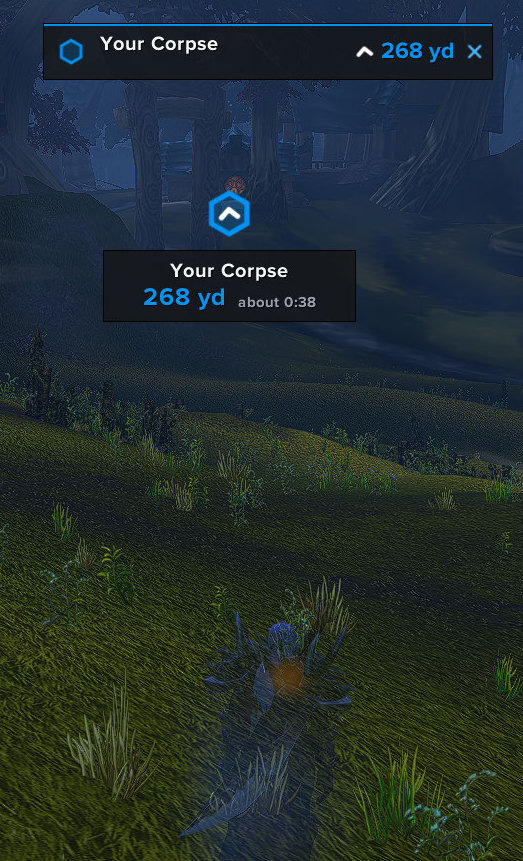 Naowh Forever Waypoint — Shows an arrow and the distance to a location similar to Tomtom.
Minimap
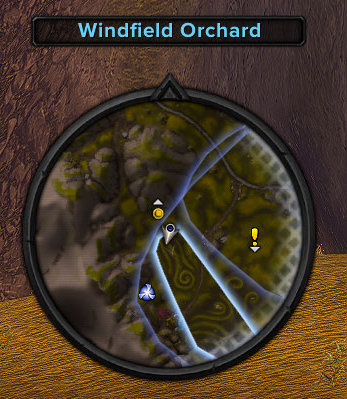
vMinimap - my minimap addon. Be aware that the configuration is at the top of the lua file and must be done with a text editor, there is no in-game config. Features include:
- Make frame darker
- Resize location frame
- Hide time
- Hide tracking and calendar buttons, they are still there and clickable.
- Darkness settings at the top of the lua file
- Desaturate settings at the top of the lua file, default on
Misc
Apocrypha - Highlights content exclusive to World of Warcraft: Forever by adding a small cyan infinity symbol (∞) after the names of exclusive quests, items, appearances, mounts, pets, toys, and recipes across the UI. For exclusive quests, it also frames dialogue and detail pages with immersive custom parchment backgrounds.
Naowh Forever Transportation Timers — Flight, Boat, Zepplin timers.
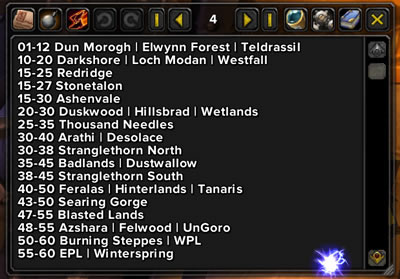 TinyPad — simple but powerful notepad addon that's easy to use. I use this addon to store information I can look up quickly, like zone levels in the image. It has not been updated for Forever. Here is an updated version: TinyPad
Nameplates
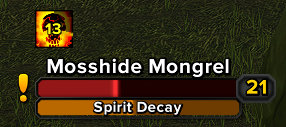 Platynator — an easy to customise powerful nameplate addon. It has a nice nameplate editor with instant visual feedback.
Professions
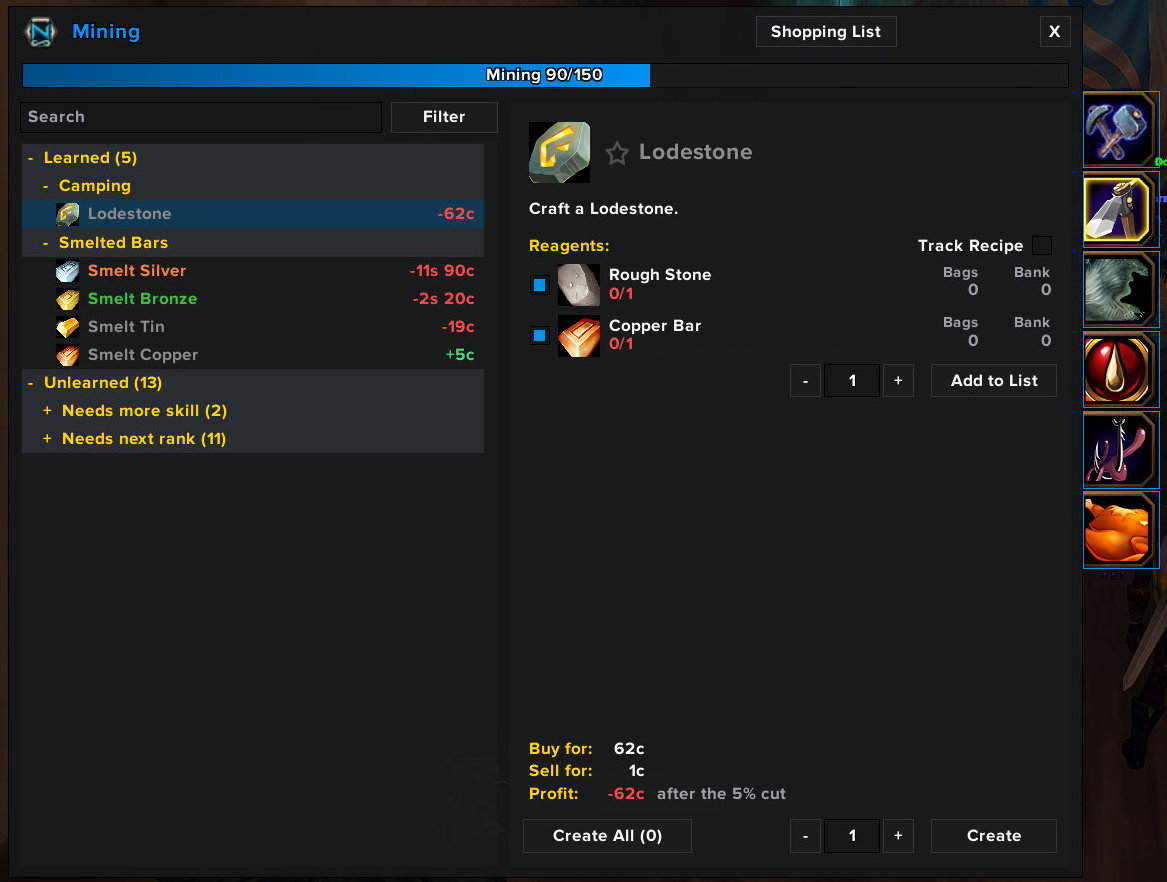 Naowh Forever Professions — Profession recipes, their sources and the materials you need.
PvE
 EasyMarksForever — Double click mobs or portrait for easy target marking. Ctrl+double click anywhere to drop world markers.
Naowh Forever Instance Tracker — Track instance lockouts.
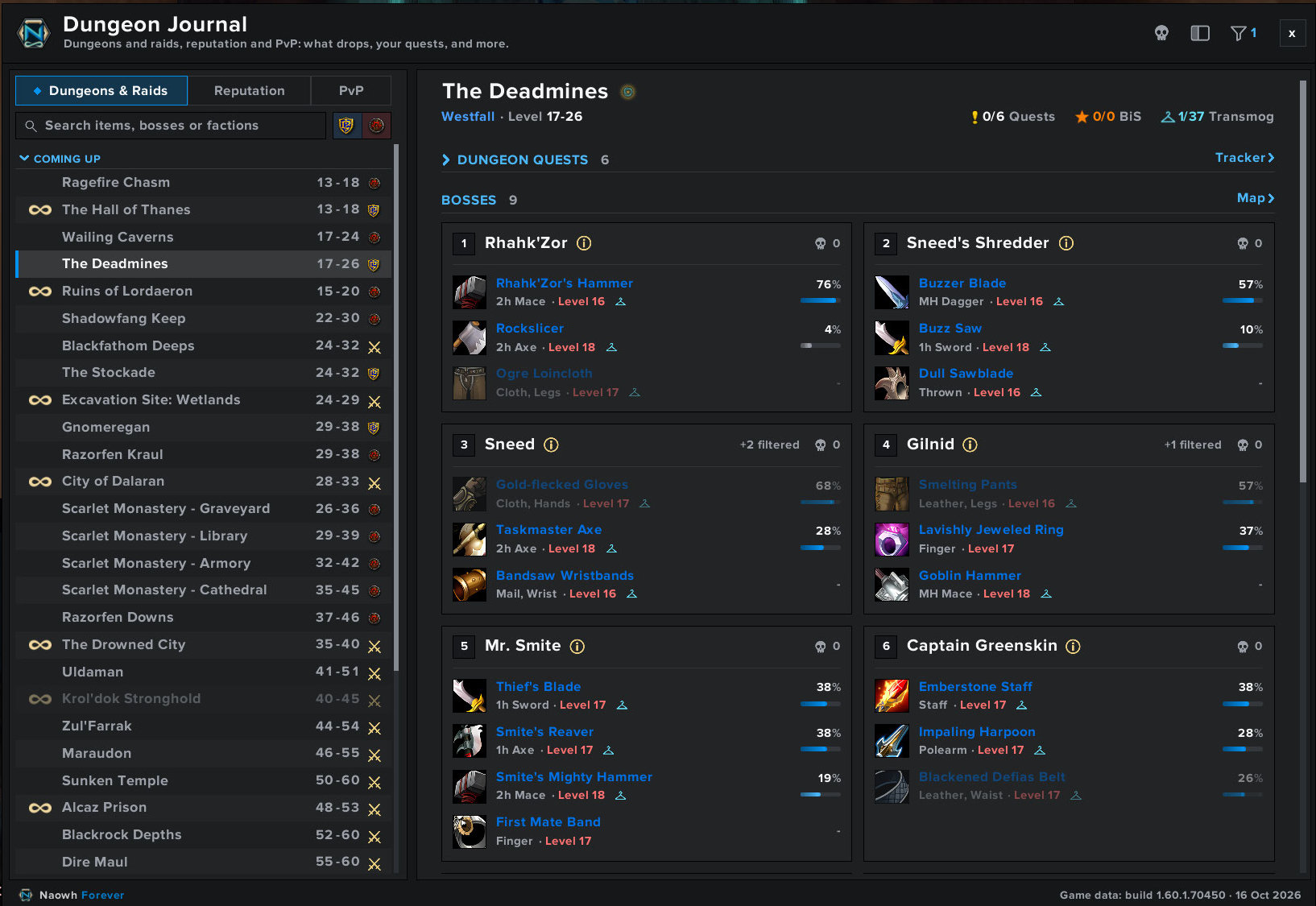 Naowh Forever Dungeon Journal — Check bosses, see their loot and find them on the map. Covers dungeons and raids, including the new Forever dungeons, with boss tips in the journal. Dungeon quests are in there as well.
Quest
EllesmereUI Quest Reward Value — Shows which quest reward is worth the most gold.
Naowh Forever Glimmer — Puts sparkles around quest items and ore/herb nodes.
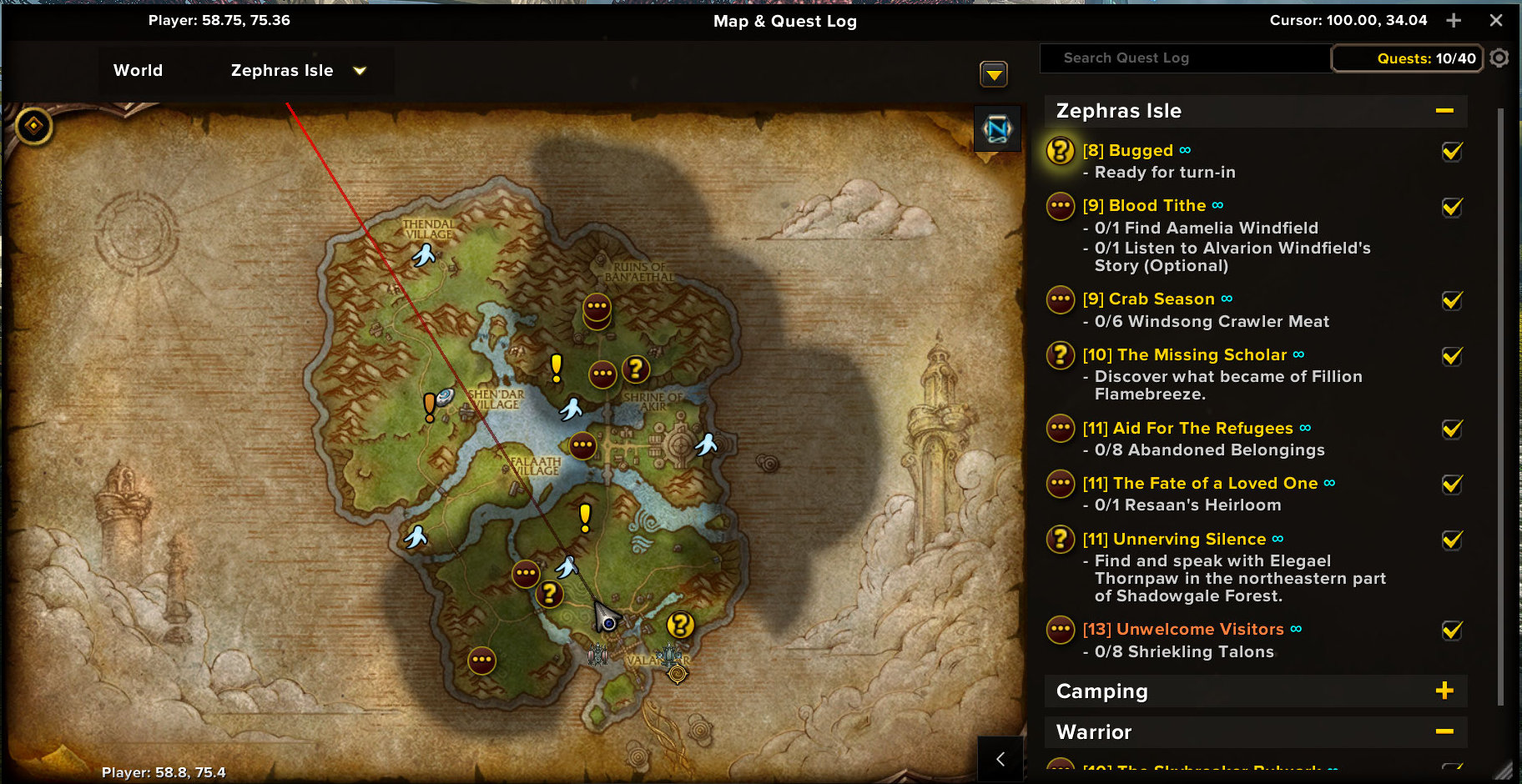 Forever Quest Pins — Adds quest-start markers to the world map and lets you click a marker to track its location.
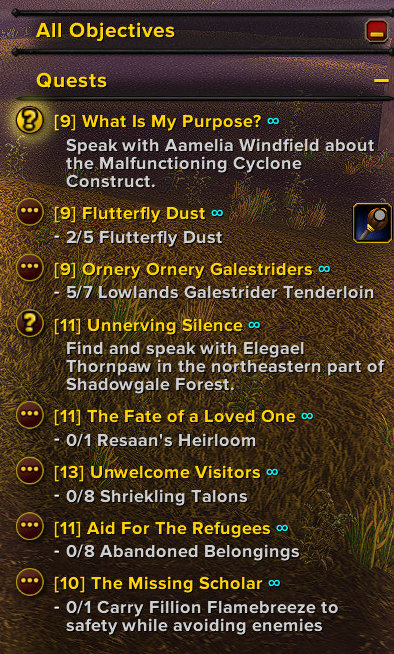 Pewpew Quests — quest tracker styling that adds an adjustable soft, feathered background and muted pewter headers to make tracked objectives easier to read.
Tooltip
EllesmereUI Tooltip Stats — Simplifies stat lines similar to EasyGreenStats.
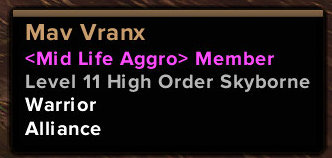
vTooltip — my tooltip addon. I moved the health bar to the top of the frame to look like rTooltip by Zork. Be aware that the configuration is at the top of the lua file and must be done with a text editor, there is no in-game config. Features include:
- class colored name and health bar
- guild and guild rank
- target of target
- custom texture for health bar
- quest difficulty coloring for mobs based on your level
- dark border or item colored borders
- show names with no PvP titles
- hidden vendor value
- hidden “Right-click for frame settings”
- scale at the top of the file, default 1.2
- positioning at the top of the file, default bottom right
Trainer
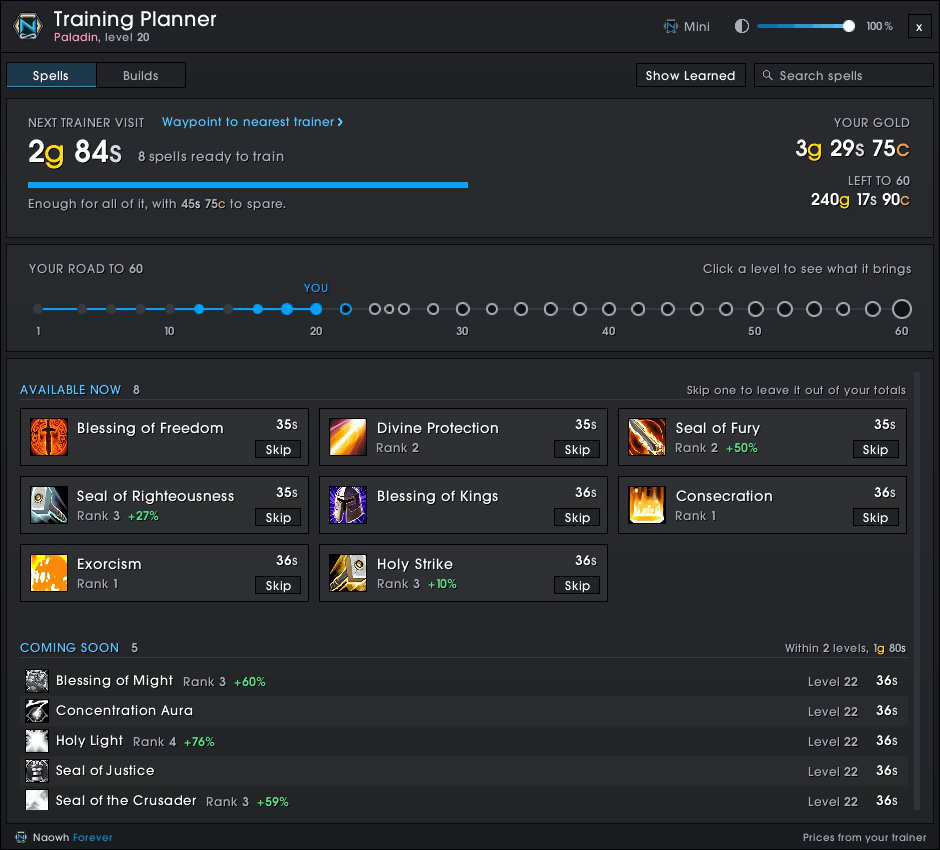 Naowh Forever Training Planner — Shows what you can train now, what each level brings and what it costs. Lets you create talent builds.
Unit Frames

vUF - my unitframe addon. Be awware that the configuration is at the top of the lua file and must be done with a text editor, there is no in-game config. Features include:
- class colored health bars
- hide rest icon zzz and glow
- hide reaction color on target frame
- hide red combat glow, still shows combat icon
- Darker frames, settings at the top of the lua file
- Desaturate settings at the top of the lua file, default on
- /vuftex lets you select a texture from installed SharedMedia files
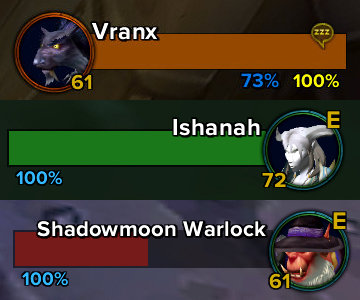
vPortraits - I am not currently using this addon, but I wanted it to still be available. I created this addon to go with Matt's Minimal Frames. It is a movable, resizable portrait frame with level and elite indicators. It has 4 commands:
- /vp scale (scale 0.5 is default)
- /vp lock (toggles locked/unlocked)
- /vp level (toggles level visibility)
- /vp border (toggles Default/Class)
Vendor
EllesmereUI Vendor List Layout — Changes the layout of vendors, similar to Gnomish Vendor Shrinker.
Naowh Forever Restock Reminders — Automatically buys items to restock at vendors.